Get started
Save your first frame in under a minute.
Framemarker captures the exact YouTube frame that caught your eye and keeps it connected to the timestamp, video, notes, tags, and collections you build around it.
Pin the extension
Keep Framemarker visible in Chrome so the capture state is always one click away.
Open a YouTube video
Watch normally. Framemarker appears only where a frame can be saved.
Press H
The current frame, timestamp, source link, and page title are saved together.
Review the library
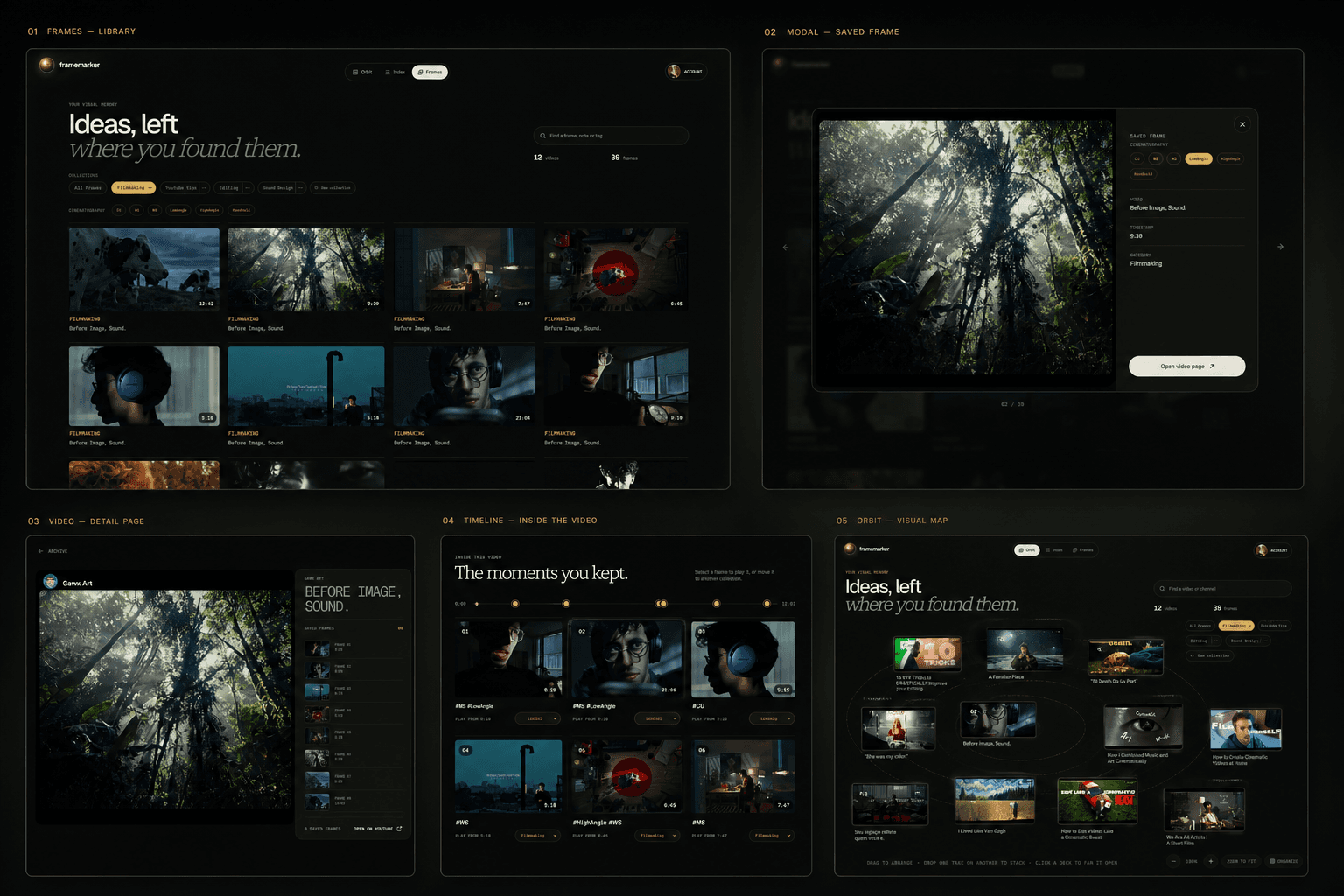
Use the dashboard to scan frames, add notes, and jump back to the exact second.
1. Add Framemarker and pin it.
Install the extension, then pin it from Chrome's extension menu. Pinning is optional, but it makes the popup and capture state easy to reach while you are watching.
Local mode works without an account. Sign in only when you want Cloud sync and the web dashboard across devices.
2. Browse to a video and press H.
When the frame matters, press H. Framemarker saves the visible image, the exact timestamp, and the source video link in a single action.

3. Read your frames in the dashboard.
The dashboard is where saved moments become a usable reference library. Scan a contact sheet, open a frame, review metadata, and return to the exact YouTube timestamp when you need the source.
 Capture02:14
 Detail08:42
 Collection14:09
4. Add the context you will search for later.
A saved frame is most useful when it remembers why you saved it. Add notes, tags, and collections while the idea is still fresh.
Collections
Group frames by project, class, client, or visual theme.
Tags
Mark lighting, movement, composition, objects, or mood.
Search
Find frames by title, note, tag, collection, or source.
5. Turn on sync when your archive needs to travel.
Local storage is private and free. Framemarker Cloud adds automatic sync, unlimited cloud frames, and the full web dashboard wherever you sign in.
Local first, cloud when you choose it.
Frames saved in local mode stay in your browser storage. They only leave the device after you choose Cloud mode and sign in.
No account required for the free local workflow.
Source links keep you connected to the original video.
Cloud sync is explicit and can be reviewed from the dashboard.
If capture does not appear.
Refresh the YouTube tab after installing the extension.
Make sure the video page is the active browser tab.
Check that Framemarker is enabled in Chrome extensions.
Open the popup once if Chrome has just updated the extension.
Ready to build your reference library?
Open the demo dashboard, or return to the homepage for pricing and the Cloud roadmap.